Paragon Tech - Solving Color Flood
Solving puzzles can be fun! In this article, we'll solve one until it's no longer fun.
What is Color Flood?
Color Flood is a basic game that has been recreated in many forms. The rules are as follows:
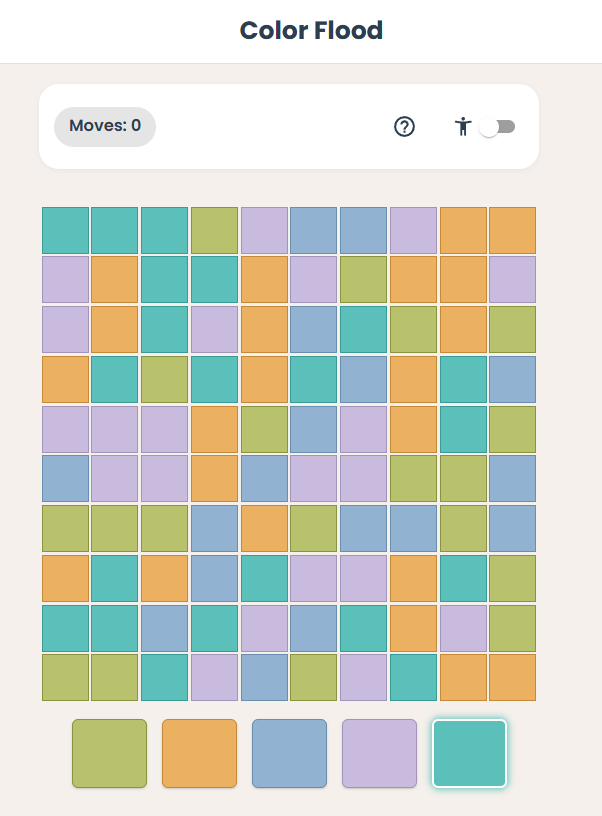
You start from the top-left tile: each turn you pick a color, and every tile that’s connected to that region and matches its current color is repainted to your chosen color. You win when the whole board is a single color, so you’re trying to grow the flood and cover the grid in as few moves as you can.
This is one adaptation of the game, Color Flood at Ponder Club (https://ponderclub.co/color-flood).
Measuring Results
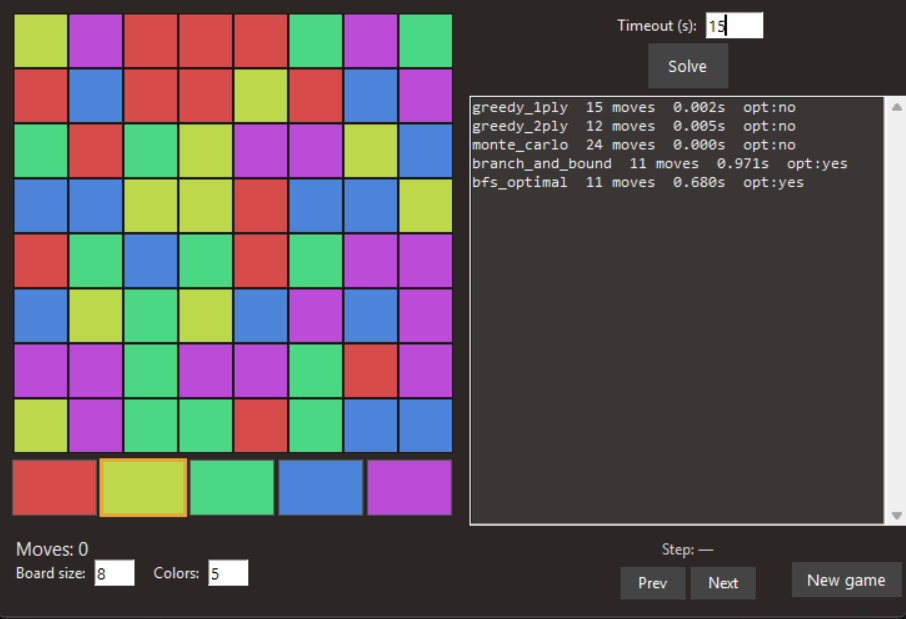
The primary objective is to solve the game with the fewest number of moves. To compare our solvers, we will measure them by number of moves and computation time. Multithreading was not used, so this is a simple time comparison.
It's important to know whether the solution achieved is optimal or not. As problems get larger (more tiles, more colors), it may not be possible to calculate the optimal solution in a reasonable amount of time.
I also wanted to be able to view the solutions generated by the different solvers, so I made a UI that allows me to step through the solutions
The Solvers
These are the solvers implemented and compared:
Greedy
This solver chooses the next color based on the color with the most adjacent tiles. Conceptually, makes the best choice for "now", and not for the overall game. It's quick to calculate.
Greedy 2-ply
This solver works like Greedy, but evaluates 2 consecutive choices. "What if I pick Red then Yellow", and picks the next color based on the most gained tiles after 2 moves. This is like the Greedy solution, but looks ahead by 1 step.
Monte-Carlo
Selects the next color at random.
Branch and Bound
Uses the Greedy approach until the solution is found, then uses this number of steps as an upper bound for the solution. It then "undoes" steps and tries other choices to find a better solution. If a better solution is found, that becomes the next upper bound. This will produce the optimal solution without evaluating every single option.
Breadth-First Search (BFS) Optimal
Starting from the beginning, evaluates every possible choice until the first solution is found. This solver will always produce the optimal solution, but requires every choice to be evaluated.
Results
The Branch and Bound and BFS Optimal solvers are able to find optimal solutions in a reasonable amount of time using the game's default settings: 8x8 grid and 5 colors. Once the problem becomes larger, both of these solvers take much longer. These solvers did not finish in 30 seconds when a 12x12 board with 6 colors, whereas the greedy solvers finished in <30 milliseconds. The greedy solvers do well, but obviously not always optimal.
I ran the solvers against the same set of 20 games and here is how they performed. This shows the number of moves and how frequently the solver achieved the optimal solution (as measured by the BFS solver) using a default 8x8, 5 color board.
Solver Solved Min Mean Max % opt Time (s)------------------------------------------------------------------------------greedy_1ply 20/20 10.0 13.05 16.0 5.0% 0.034greedy_2ply 20/20 10.0 12.30 15.0 15.0% 0.120monte_carlo 20/20 15.0 23.45 42.0 0.0% 0.013branch_and_bound 20/20 9.0 10.85 12.0 100.0% 29.602bfs_optimal 20/20 9.0 10.85 12.0 100.0% 11.996
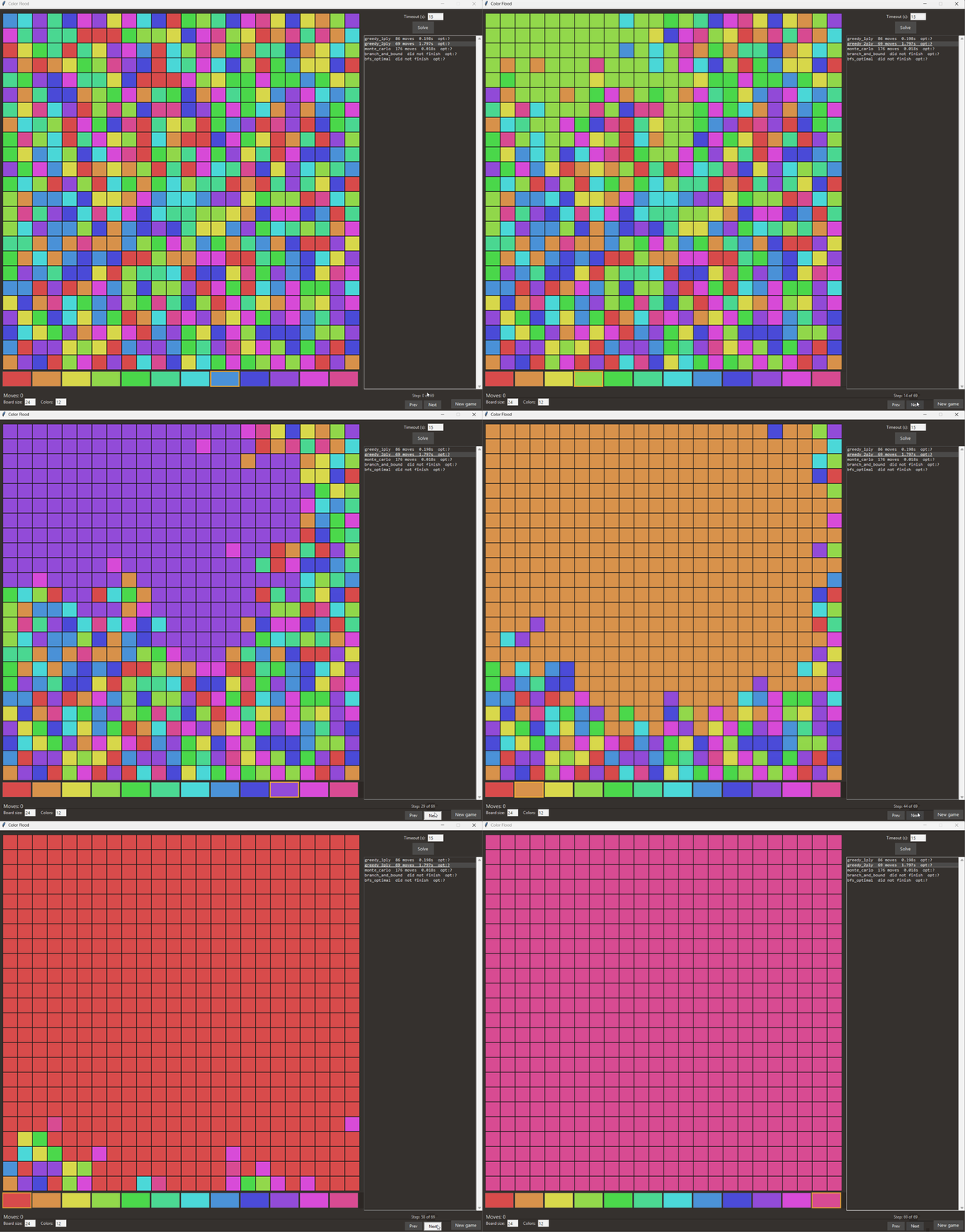
Here is the result of the 2-ply greedy solution on a 24x24 tile 12 color problem. This is a very large board and the BFS solver did not finish, whereas the 2-ply greedy finished in under 2 seconds.
It would be interesting to see what other solvers could be made. Maybe one that optimizes reaching the bottom right tile first, then using the branch and bound method to solve for optimal.

No comments yet. Login to start a new discussion Start a new discussion